AI Studio overview

AI Studio is GrowthLoop’s workspace for AI-assisted audiences, insights and workflows.

How it works

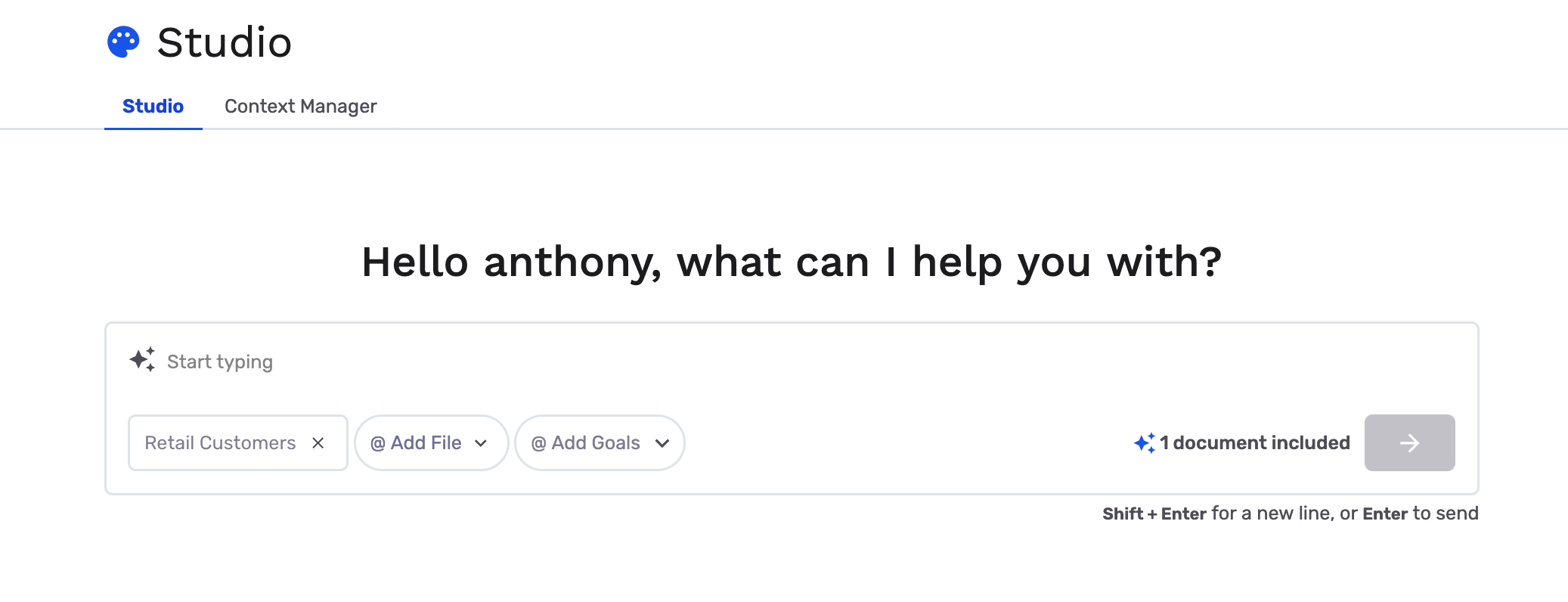
AI Studio is the area of GrowthLoop where agents help you turn natural-language briefs into actionable audiences and related workflows. In the app, the main experience is labeled Studio: a chat workspace where you pick a Dataset Group, describe what you want, and iterate with suggestions, previews, and (when available) journey-oriented outputs.

AI Studio does not replace your team. You stay in the loop: you choose the dataset group, review every suggestion, edit filters, and export only what you approve.

Key concepts

ConceptDescription
AI StudioThe docs and product area for AI-assisted marketing in GrowthLoop.
StudioThe in-app chat experience at /v2/studio (left sidebar Studio, palette icon).
AgentsThe AI agents that power Studio and related features (e.g. Audience Discovery, field descriptions).
Dataset GroupThe set of connected datasets agents use for schema and audience logic. Enable AI Studio per group you want in scope.
Context ManagerA Studio tab where you maintain goals and text context so agents can align with your marketing priorities.
First-order datasetsContext sent to agents includes your primary dataset and datasets directly joined to it. Datasets only reachable through longer join chains are omitted so suggestions don’t rely on invalid paths.

AI Readiness

The agents behind Studio only see what you (and your data platform) expose to them: conversation context from GrowthLoop and structured metadata from your warehouse and dataset configuration. Investing a little up front in both areas yields higher-quality suggestions, fewer misinterpreted briefs, and audiences that match how your business actually talks about customers and products.

Enrich context in Context Manager

Open Studio, then go to the Context Manager tab. Use it to give AI Studio agents durable background that carries across conversations:

  • Goals β€” Capture marketing objectives (e.g. retention, acquisition, cross-sell) so suggestions stay aligned with what your team is trying to achieve.
  • Text context β€” Add documents or notes that describe your company, brand, business model, industry, and internal lexicon (acronyms, product family names, segment definitions, β€œwhat we mean by active customer,” regional naming, and so on).

The more concrete this material is, the better agents can map a vague prompt (β€œhigh-value churn risk in Q4”) to filters and fields that make sense for your org. Treat Context Manager as a living brief: refresh it when positioning, products, or internal vocabulary change.

πŸ’‘

Tip

Pair Context Manager with clear prompts in chat. Context explains who you are; each message explains what you want right now. See Use AI Studio for the full chat workflow.

Make warehouse and dataset labels agent-ready

Agents reason over schema-level information: dataset and table names, column names, types, and the descriptions you attach in GrowthLoop β€” not raw row samples in the Studio flow. Help the agents by making that metadata intentional:

  1. In your data warehouse β€” Prefer human-meaningful table and column names where you control them. When your warehouse or modeling layer supports comments or descriptions on tables and columns, use them to spell out grain (e.g. one row per order), freshness, and business meaning.
  2. In GrowthLoop β€” When you configure datasets and fields, fill in descriptions so business-friendly text flows into the context agents receive. Generic names like flag_1 or segment_cd slow everyone down; short, plain-language labels and descriptions teach the model what each field represents.

Strong labels reduce guesswork, improve filter choices, and make it easier for your team to validate suggestions against the real definition of each attribute.

What you can do today

  • Brainstorm and build audiences β€” Describe targets in plain language; agents propose audience definitions you can open in the audience builder, refine, and export.
  • Start from Audiences β€” When you create a new audience, choose Build with AI Studio to open the same Studio flow with your data in scope.
  • Attach goals and context β€” Use Context Manager to connect conversations to team goals and optional text context documents.
  • Audience Discovery β€” With AI Studio enabled, get proactive audience ideas on Home and through notifications; see Audience Discovery.
  • Field clarity in builders β€” Where enabled, AI-generated descriptions help teams understand dataset fields in audience and journey builders.

Optional capabilities (controlled by your organization’s configuration) can include media or product briefs in chat and organization-hosted LLM settings for warehouses that support them. If you are unsure what is on for your tenant, ask your GrowthLoop admin or [email protected].

πŸ’‘

Tip

The Studio chat footer reminds you: agents can make mistakesβ€”always verify counts, filters, and logic against your data before you export.

Roadmap and previews

We continue to expand AI Studioβ€”for example, deeper journey assistance and creative workflows. Some capabilities may be in preview or rolling out gradually. For the latest for your org, contact [email protected].


Ready to turn it on? Continue to Enable AI Studio for a dataset group, then Use AI Studio to start your first conversation.


What’s Next

Understand how generative marketing fits your team