
Output Tables
Understand the Final Identity Table, profile report, and other Identity Resolution outputs.
After running Identity Resolution, several outputs are written to your data warehouse. In this article, we'll explore each output and how to use them.
The following tables are created in the Output Dataset you specified in Settings:
| Table | Name | Description |
|---|---|---|
| Final Identity Table | Your selection in Settings | One row per unique identity with merged data |
| Matched Table | _id_res_matched_{config_name} | Maps source records to their unified identity |
| Profile Report | _id_res_golden_profile_report | Match statistics and metrics (shared across all configs) |
The Final Identity Table is automatically added as a Dataset in GrowthLoop, making it available for Audiences, Journeys, and Exports.
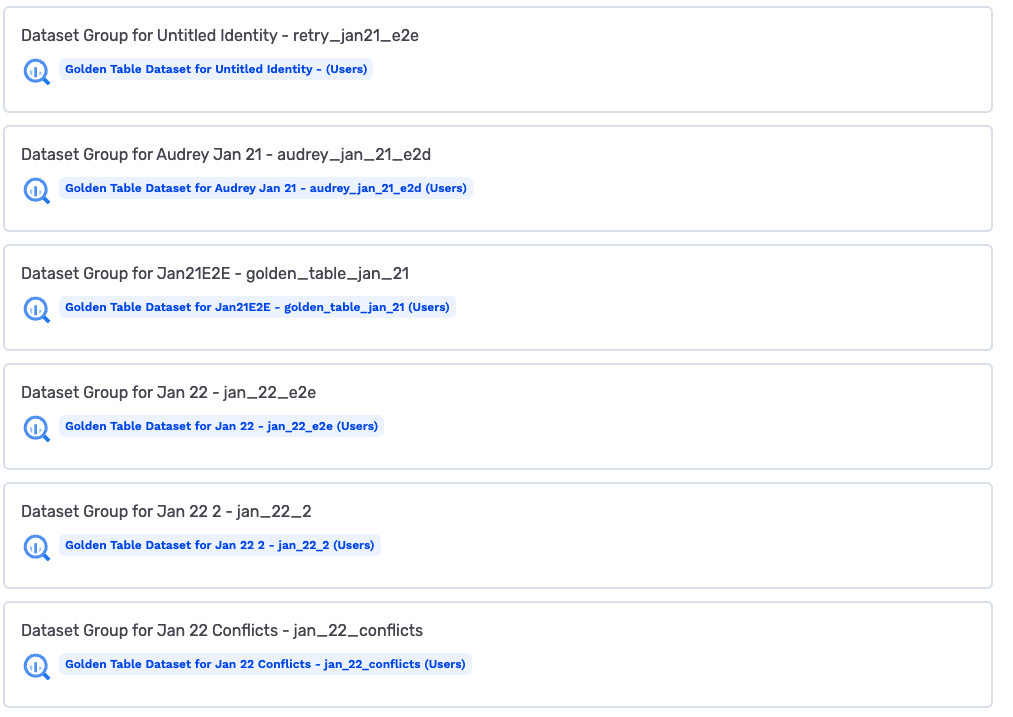
Final Identity Table
The Final Identity Table is your unified customer view—one row per unique identity with the best available data merged from all sources.
Schema
The Final Identity Table includes:
| Column | Description |
|---|---|
primary_key | Unique identifier for this unified profile (the identity ID) |
| Your PII fields | The fields you mapped (email, phone, name, etc.) |
NoteThe Final Identity Table contains only the columns you configured—there are no system-generated timestamp columns. Timestamps (
_id_res_created_at,_id_res_updated_at) are available in the matched table if you need to track when records were processed.
Example
SELECT
  primary_key,
  email,
  first_name,
  last_name,
  phone,
  postal_code
FROM your_dataset.final_identity_table
LIMIT 5;| primary_key | first_name | last_name | phone | postal_code | |
|---|---|---|---|---|---|
| abc123 | [email protected] | Jane | Doe | 5551234567 | 94105 |
| def456 | [email protected] | John | Smith | 5559876543 | 10001 |
| ghi789 | [email protected] | Alex | Johnson | NULL | 60601 |
Value Selection
When the same person exists in multiple sources with different values, the Final Identity Table uses data from the highest-precedence source that has a non-null value.
For example, if your sources have precedence:
- CRM (precedence 1)
- Email List (precedence 2)
- Orders (precedence 3)
And a customer has:
- CRM: email = "[email protected]", phone = NULL
- Email List: email = "[email protected]", phone = "5551234567"
The Final Identity Table will have:
- email = "[email protected]" (from CRM, highest precedence)
- phone = "5551234567" (from Email List, since CRM is null)
NotePrecedence is applied per-column, not per-record. Each column gets its value from the highest-precedence source that has a non-null value for that column.
Profile Report
The profile report stores metrics from each identity resolution run. Each run adds one row to this shared table.
Schema
| Column | Description |
|---|---|
report_id | The config name identifying this identity resolution |
capture_date | Date of this run |
source_records_total_count | Total records processed from all sources |
source_records_matched_count | Records that matched at least one rule |
source_records_notmatched_count | Records that didn't match any rule |
golden_table_record_count | Number of unified profiles created |
match_rules | JSON array of the rules used |
match_rule_results | JSON array with match counts per rule |
golden_table_duplicate_email_count | Duplicate emails in Final Identity Table (data quality flag) |
golden_records_had_conflicting_data_count | Profiles where sources had different values |
Example Query
SELECT
  report_id,
  capture_date,
  source_records_total_count,
  source_records_matched_count,
  golden_table_record_count,
  match_rule_results
FROM your_dataset._id_res_golden_profile_report
WHERE report_id = 'your_config_name'
ORDER BY capture_date DESC
LIMIT 1;
Matched Table
The matched table is an intermediate output showing which source records were grouped together and which rule matched them.
Schema
| Column | Description |
|---|---|
match_id | The unified identity this record belongs to |
matched_by_rule | Which rule number matched this record (NULL if unmatched) |
| Your PII fields | The fields you mapped (email, phone, name, etc.) |
_id_res_primary_key | The original primary key in the source |
_id_res_source_name | Which source this record came from |
_id_res_created_at | When this record was processed |
_id_res_updated_at | When this record was last updated |
Example Query
Find all source records for a specific identity:
SELECT
  _id_res_source_name,
  _id_res_primary_key,
  matched_by_rule,
  email,
  phone
FROM your_dataset._id_res_matched_yourconfig
WHERE match_id = 'abc123';| _id_res_source_name | _id_res_primary_key | matched_by_rule | phone | |
|---|---|---|---|---|
| CRM | crm_001 | 1 | [email protected] | NULL |
| Orders | ord_5678 | 1 | [email protected] | 5551234567 |
| Loyalty | loy_999 | 2 | NULL | 5551234567 |
This shows that:
- The CRM and Orders records matched via Rule 1 (likely email-based)
- The Loyalty record matched via Rule 2 (likely phone-based)
- All three now share the same
match_id
Querying Your Outputs
Count Unique Identities
SELECT COUNT(DISTINCT primary_key) as total_identities
FROM your_dataset.final_identity_table;
Find Multi-Source Identities
Identities that appear in multiple sources:
SELECT
  match_id,
  COUNT(DISTINCT _id_res_source_name) as source_count,
  ARRAY_AGG(DISTINCT _id_res_source_name) as sources
FROM your_dataset._id_res_matched_yourconfig
GROUP BY match_id
HAVING COUNT(DISTINCT _id_res_source_name) > 1
ORDER BY source_count DESC
LIMIT 10;
Match Rate by Source
SELECT
  _id_res_source_name,
  COUNT(*) as total_records,
  COUNT(matched_by_rule) as matched_records,
  ROUND(100.0 * COUNT(matched_by_rule) / COUNT(*), 2) as match_rate
FROM your_dataset._id_res_matched_yourconfig
GROUP BY _id_res_source_name;
Unmatched Records
Records that didn't match any rule:
SELECT *
FROM your_dataset._id_res_matched_yourconfig
WHERE matched_by_rule IS NULL;
Questions or issues? Reach out to us at [email protected].
Updated 8 months ago