
Getting Started
In this document, we will walk through all the ways you can use the personalization API to sync audiences, warehouse data, or real-time signals for personalization.
For using synced warehouse fields specifically in real-time journey criteria and destinations, see Syncing Warehouse Fields.
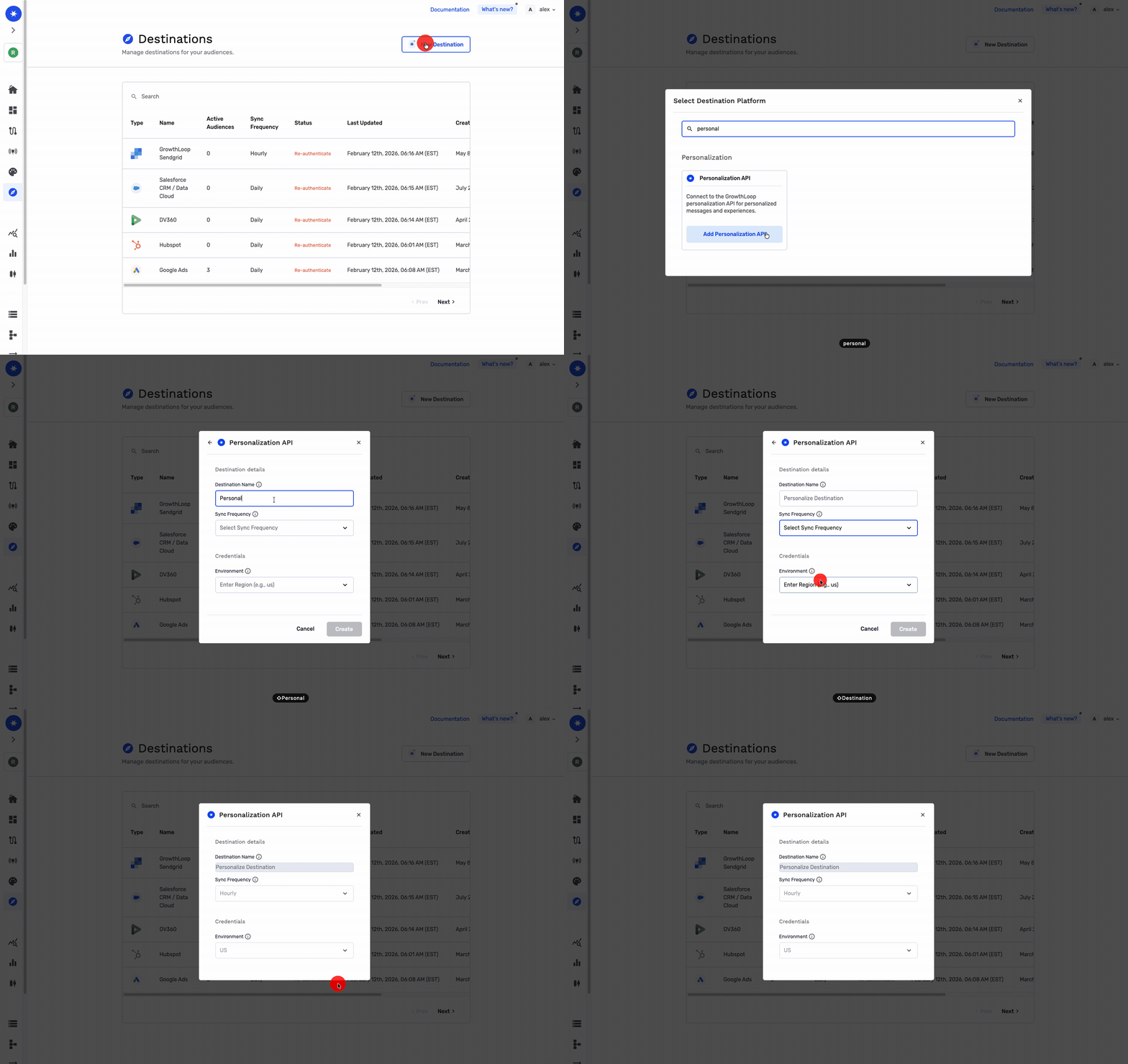
Setup Destination
First, add a new personalization destination in the destinations page. This will allow you to send any of the GrowthLoop products to the personalization api.
Setup a Sync
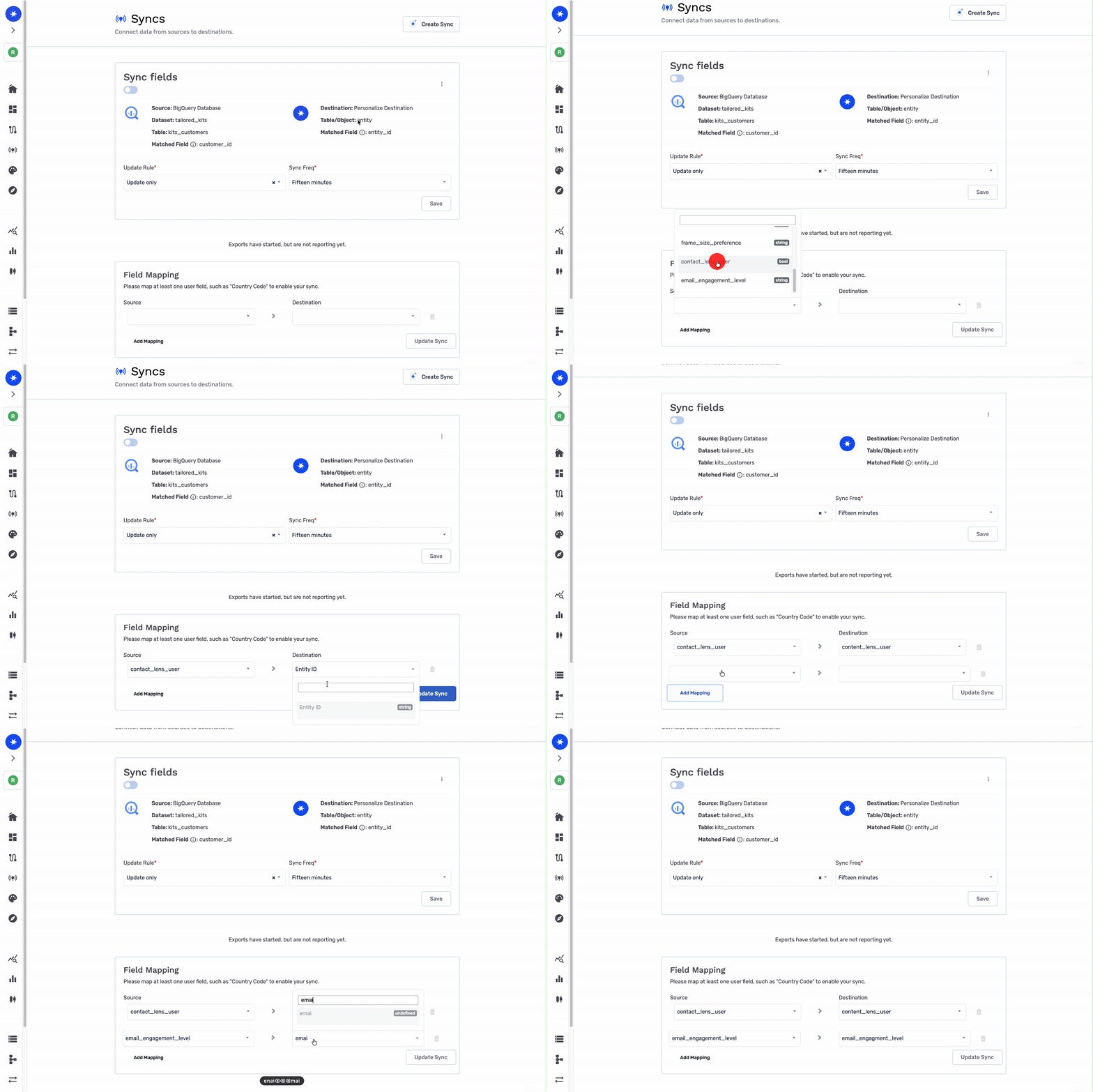
Next, you can set up a sync of profile attributes you want to always be available for personalization from your data warehouse.
NoteBy default, GrowthLoop excludes fields tagged as PII Fields from being transmitted through the Personalization API. Admins can override this setting in Org Settings if your organization needs to include PII Fields in API responses.
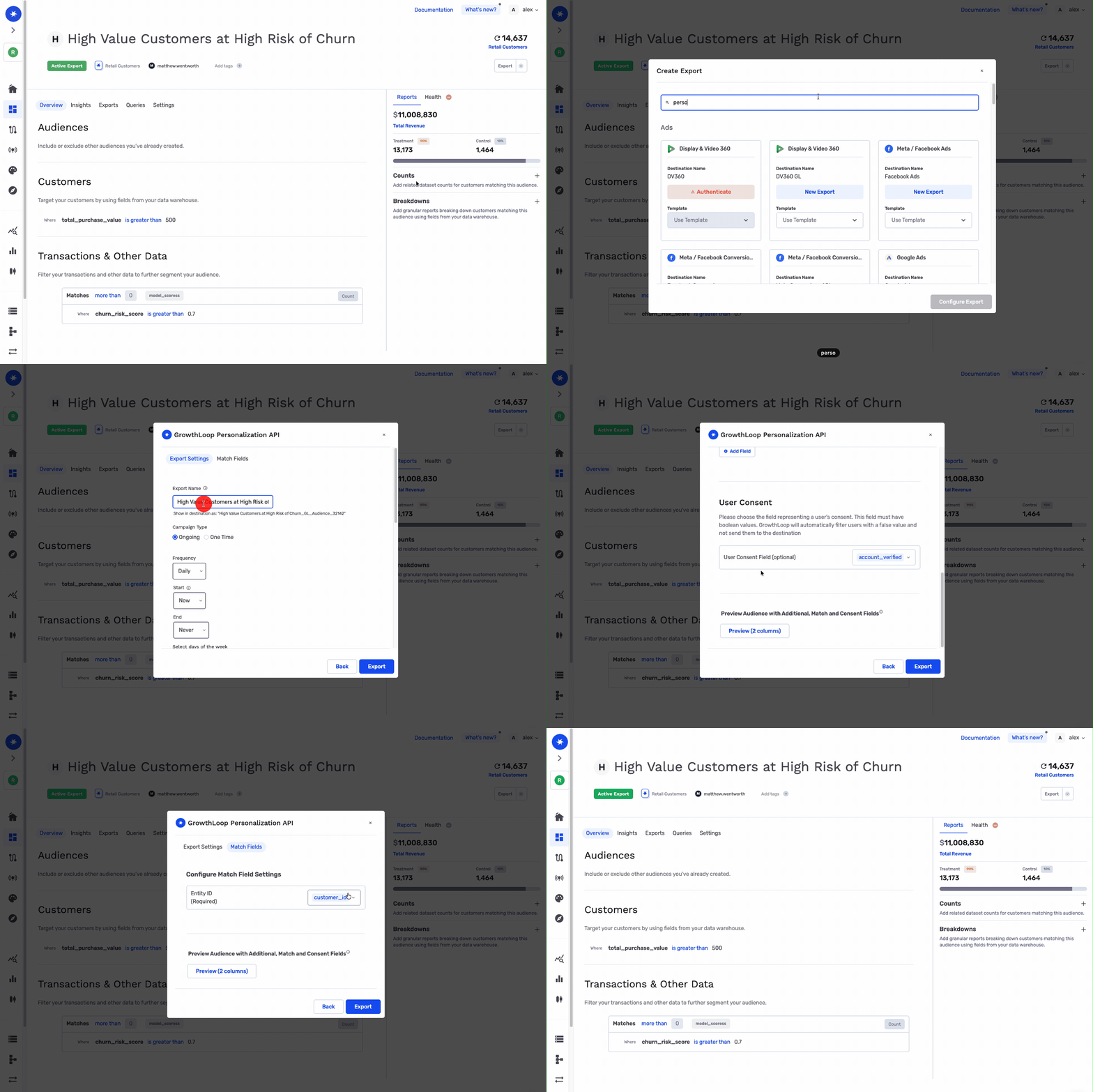
Export audience to Personalization API
By exporting audiences to the personalization API, you can personalize the experience for users who belong to specific audiences.
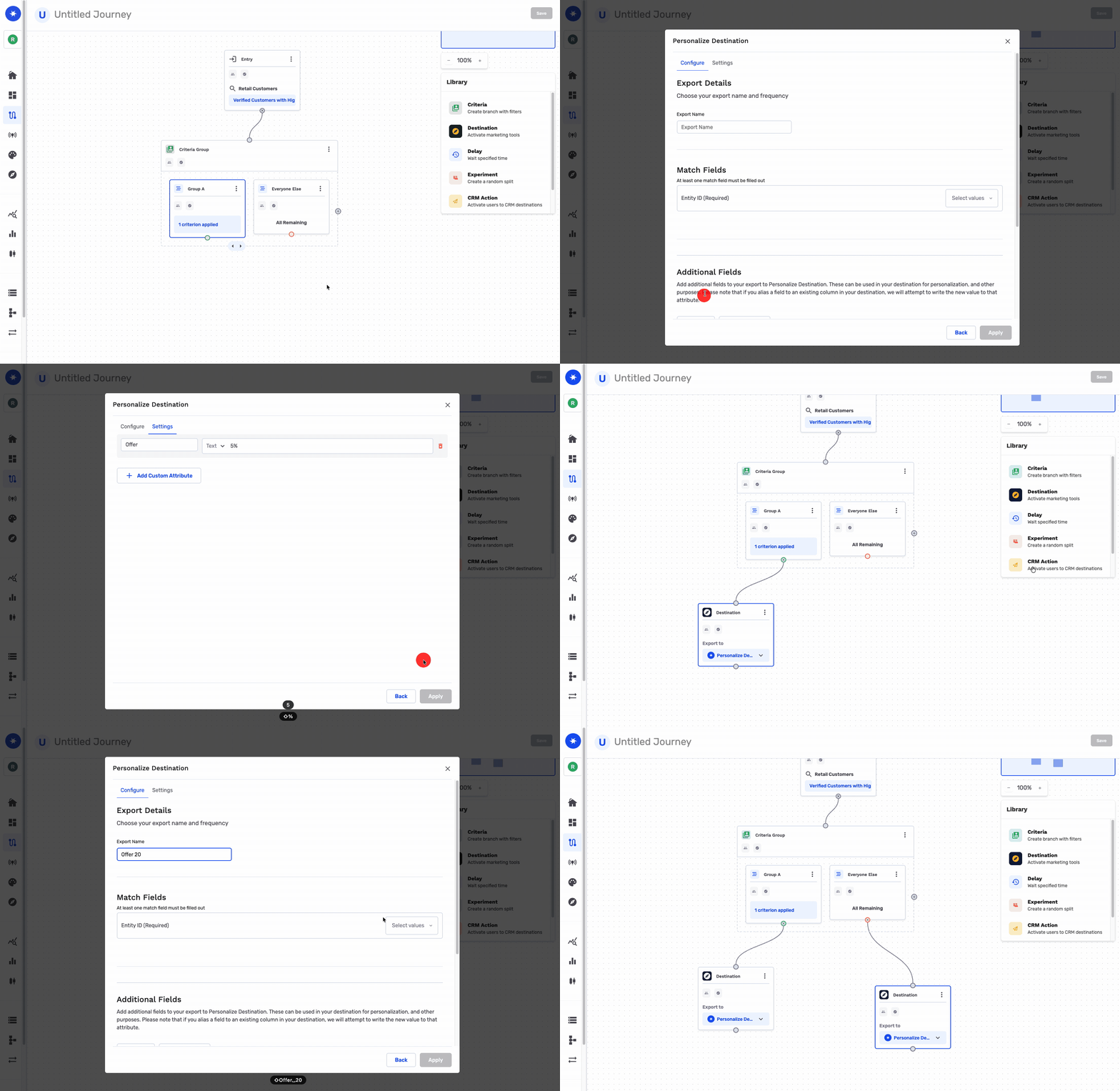
Journeys to Personalization API
You can also build complex workflows and lifecycle campaigns to test or drive users to personalziation API, e.g., with different offers.
Fetch Profile
After you've done all those steps, or some of them. This is how you can fetch the profile and what it will look like.
curl -X GET "https://personalize.prod.growthloop.com/v1/entities/customers/user_001" \
  -H "Authorization: Bearer $(echo -n "YOUR_PERSONALIZATION_API_KEY" | base64)" \
  -H "Content-Type: application/json" \
  -H "X-Source-Connection-Id: YOUR_SOURCE_CONNECTION_ID"
The X-Source-Connection-Id header is optional. If your organization has more than one source connection and each has its own personalization store, pass the ID of the source connection whose store should serve the profile. Omit the header to use your organization's default personalization store. If your API key is scoped to a source connection, that scope takes precedence and the header is ignored.
Below is a response with all the attributes we set up above:
{
    "contact_lens_user": true,
    "email_engagnement_level": "HIGH",
    "audiences": {
        "32142": {
            "audience_name": "High Value Churn Users"
        }
    },
    "entity_id": "user_001",
    "entity_name": "customers",
    "offer": "5%"
}
Updated about 1 month ago