
Clone an Audience to Another Team
Need to reuse an audience setup in another team? Use Clone to Teams to copy one or more audiences to compatible target datasets.
Before you begin
- Select one or more audiences from the Audiences page.
- All selected audiences must use the same data schema of the dataset group.
Instructions
-
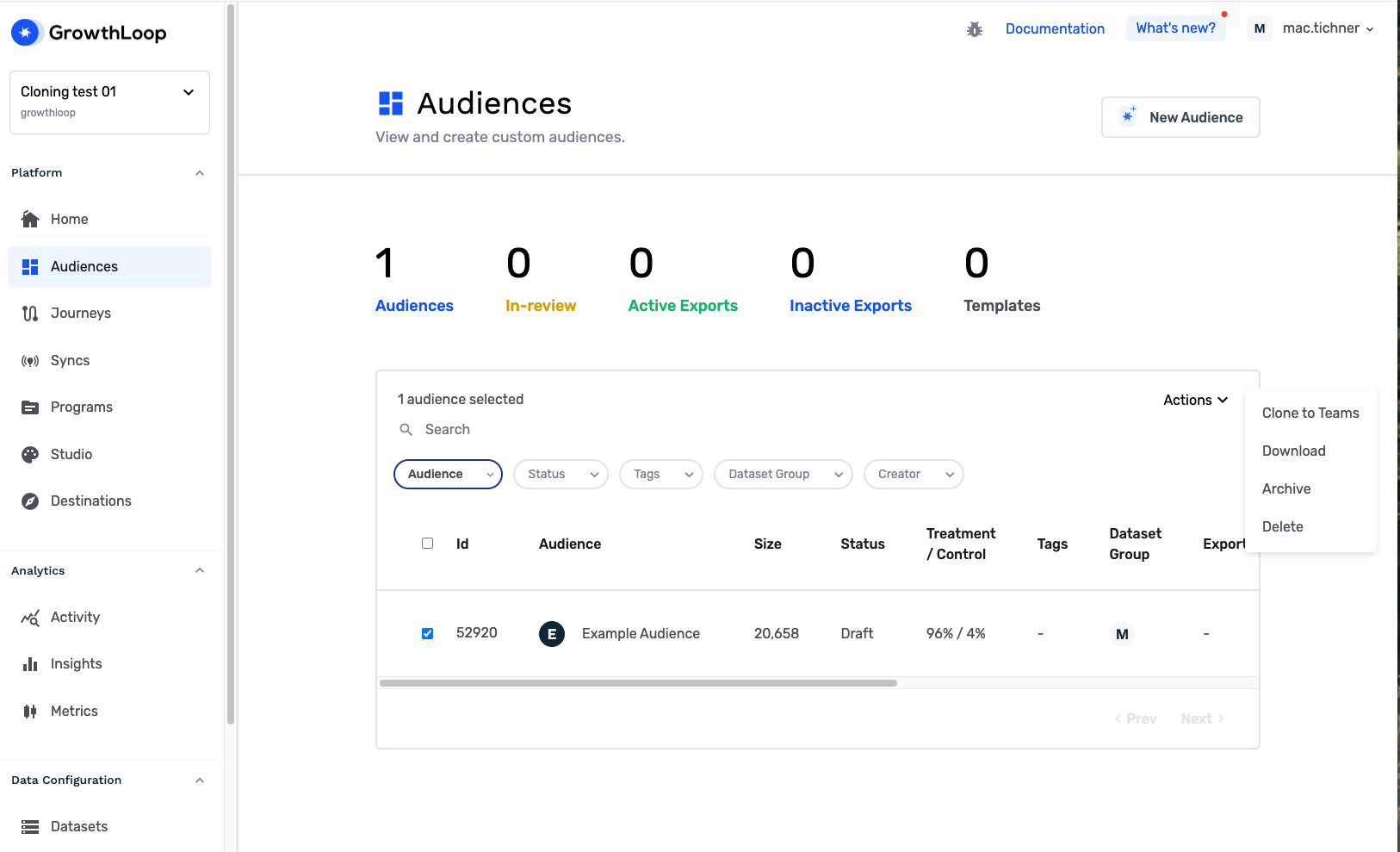
In Central Audience Hub, select one or more audiences you want to clone.
-
Open the Actions menu and select Clone to Teams.
-
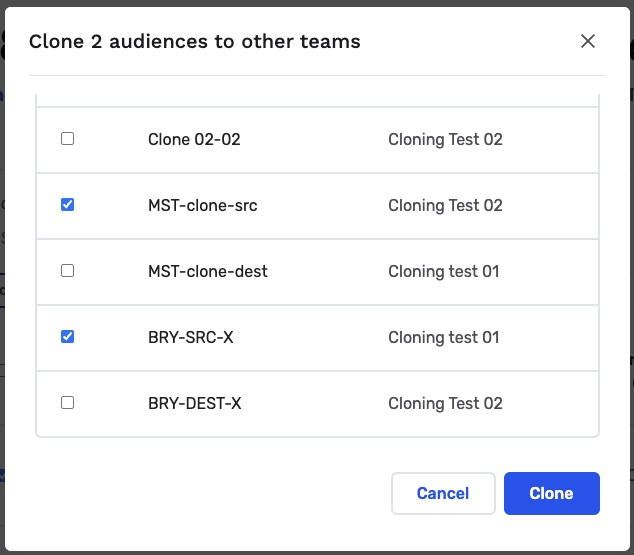
In the clone modal, review the list of compatible target datasets that appears.
-
Select one or more target teams, then click Clone.
What gets cloned
The source audience and all dependent audiences are cloned to the target team datasets.
Updated 8 months ago
Did this page help you?