
Real-Time Events
Register and validate event schemas for real-time journey triggers.
After configuring a source connection, register the events you want to trigger journeys. Each real-time event defines which messages GrowthLoop listens for and how to interpret their payload.
Create a real-time event
- In the side menu, go to Datasets and open the Realtime Events tab.
- Click New Realtime Event.
- Complete the registration form:
| Field Name | Required | Description |
|---|---|---|
| Event Source | Yes | The real-time source connection (e.g., ProductionKafkaCluster). |
| Event Name | Yes | Human-readable label (e.g., UserSignup, OrderPlaced). |
| Path to Event | Yes | Field path in the message to inspect (dot notation, e.g., user.status.type). |
| Event Value | Yes | Value in that field that triggers the event (e.g., signup). Messages without this value are ignored. |
| Register Event Schema | Yes | JSON Schema describing the event payload for validation and field extraction. |
- Click Save.
Success
You've created a real-time event.
Add the event to a dataset group
Journeys need the event linked to your customer dataset so that when they are inserted into the warehouse, they can be joined to the customer's dataset, which allows downstream non-realtime nodes to be processed.
- Open the Dataset Groups tab.
- Select your dataset group, then open the Realtime Events tab.
- Click Add Realtime Event.
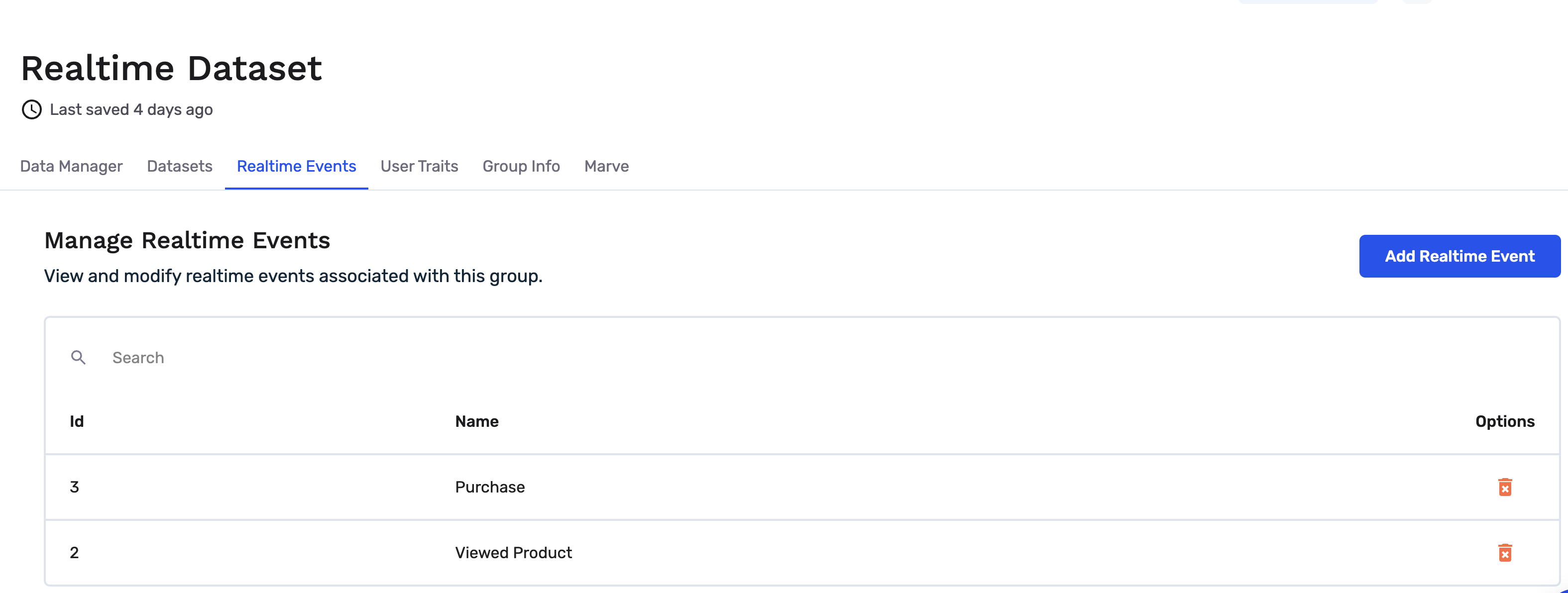
- Select the event you created.
- Map the real-time event field to your dataset's primary key.
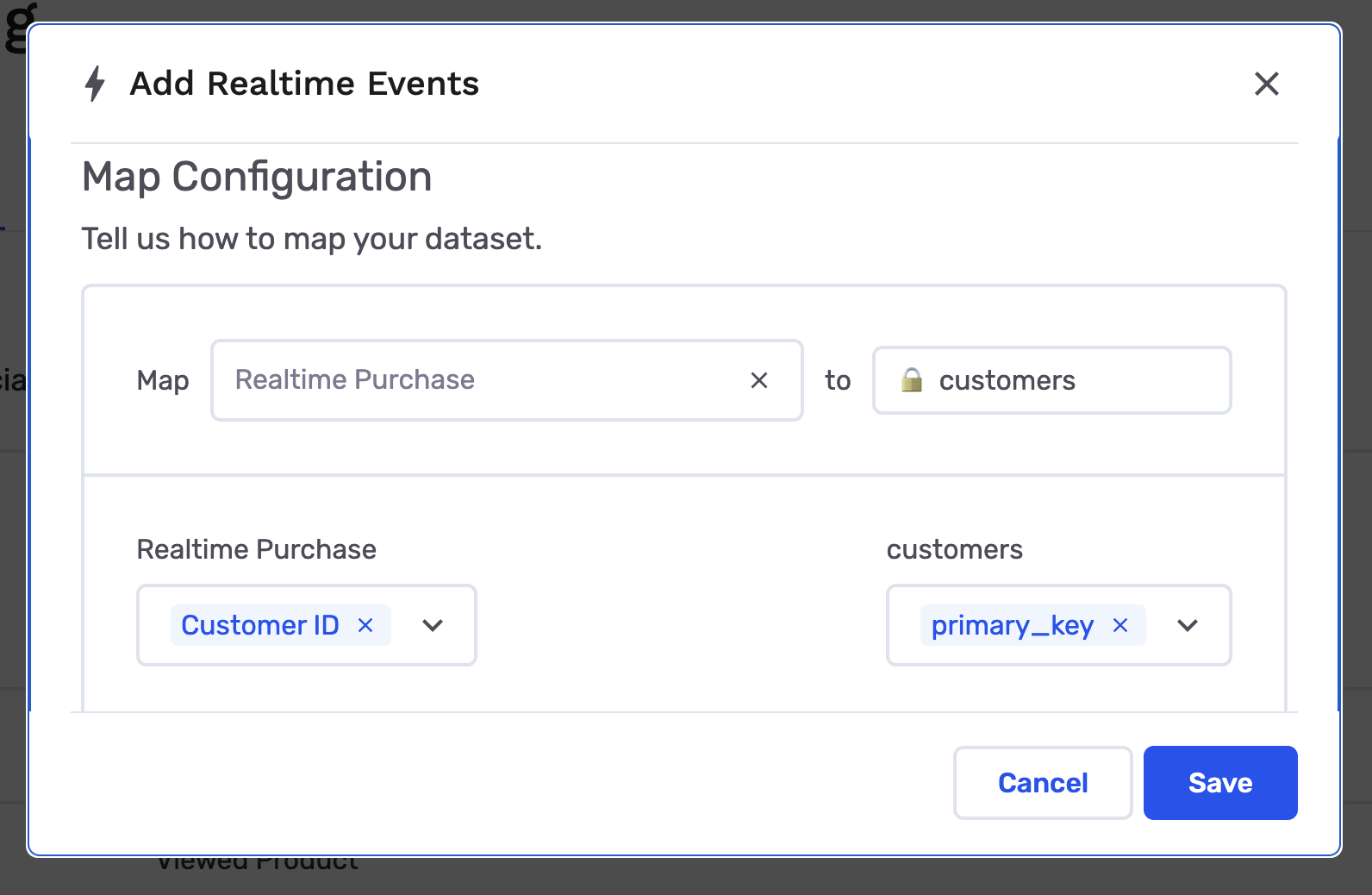
After mapping, event payloads can be tied to individual customers as messages arrive.
Next steps
Real-time events give you instant access to fields in the message payload. To also use warehouse profile data (loyalty tier, opt-in flags, segments, etc.) in criteria and destinations, sync warehouse fields to the Personalization API.
Updated about 2 months ago