
Customer.io
Use GrowthLoop audiences for Customer.io manual segments.
Connect this destination to export audience membership into a Customer.io manual segment, for use in Customer.io campaigns.
This destination writes to your Customer.io account and is a good fit when you want to:
- Match contacts on email or customer ID
- Have GrowthLoop create or update Customer.io people, then add or remove them from a manual segment
This maps to GrowthLoop Audiences and Journeys:
| Use it for | Audiences | Journeys |
|---|---|---|
| Sending GrowthLoop audiences to Customer.io manual segments | ✓ | ✓ |
Prerequisites
Make sure you have:
- A Customer.io workspace with permission to manage API credentials and segments.
- A Track API credential pair (Site ID and API Key) from Settings → API credentials → Tracking API keys.
- An App API Key from Settings → API credentials → App API keys.
- Your workspace region (
usoreu).
NoteCustomer.io uses two APIs. GrowthLoop needs both:
- Track API identifies people and adds or removes manual segment membership
- App API lists and creates manual segments
Customer.io people must exist before they can join a manual segment. GrowthLoop identifies each exported contact with the Track API before adding them to the segment.
Set up Customer.io as a destination
- In GrowthLoop, click the Destinations tab on the left sidebar.
- Click New Destination in the upper right corner.
- Search for Customer.io and click Add Customer.io.
- Enter the required information, then click Create.
| Field | Description |
|---|---|
| Destination Name | Name this destination in GrowthLoop. Use a name so your team recognizes its purpose, like "Customer.io Email". |
| Sync Frequency | Set the default export frequency (for example, daily or weekly). You can override this setting for individual exports. |
| Site ID | Track API Site ID. |
| Track API Key | Track API key you've created. |
| App API Key | App API key you've created. |
| Region (optional) | us (default) or eu. |
GrowthLoop validates the connection by listing segments in your workspace. Customer.io then appears in your list of connected destinations.
Export to Customer.io
From within GrowthLoop, export from an audience or from a journey Destination Node. See Export an audience or Build a journey if you need more information on these steps.
After building or selecting an audience, click Export, then search for Customer.io. In a journey, add a Destination Node under Email and select Customer.io.
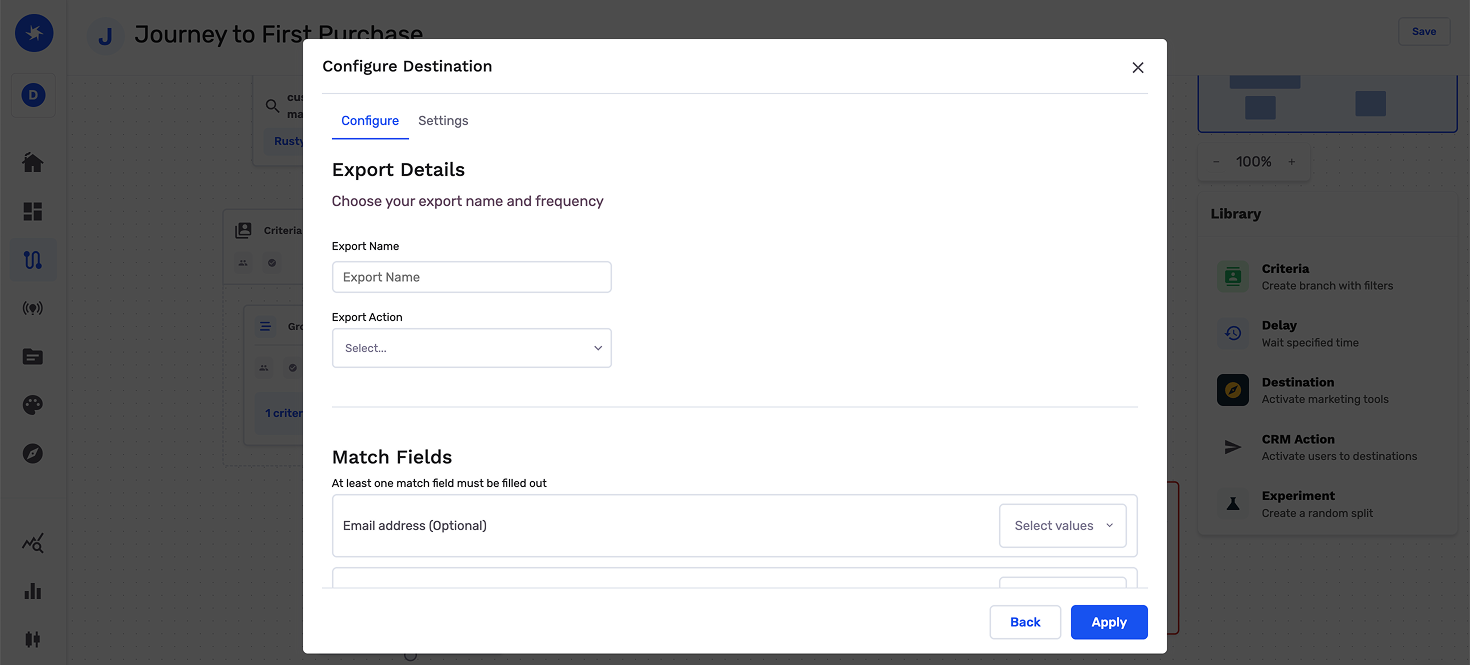
Map contact identifiers
Map one identifier.
| Match field | Description |
|---|---|
| Default. Preferred for most workspaces | |
| Customer ID | Maps your warehouse customer ID to the Customer.io person id |
You can also map custom attributes from the audience or from the journey as additional fields.
Configure the export
This is where you set the campaign type and schedule for audience exports. On a journey Destination Node, you set timing on the journey canvas.
| Setting | Audience export | Journey Destination Node |
|---|---|---|
| Export Name | Defaults to the audience name. Customer.io names the manual segment after this export. | Required. Enter a name so you can find the export in GrowthLoop and Customer.io. |
| Campaign type | Choose a one-time or ongoing export. | The journey schedule controls when the journey runs and contacts are sent to Customer.io. |
| Schedule | Set frequency, start date, end date, and days of the week. | Users reach this node when the journey runs. Add a Delay Node or set Criteria Evaluation to control timing. |
Export behavior
This is what GrowthLoop writes when you export an audience.
| Behavior | What happens |
|---|---|
| What GrowthLoop writes | Customer.io people and manual segment membership. Direction is GrowthLoop → Customer.io. |
| When it runs | GrowthLoop sends the export as a batch on the next successful run. An export that starts Now runs within about 15 minutes. Journeys send exports on demand when users reach the Destination Node. |
| Manual segment | GrowthLoop creates or reuses a manual segment named after the export. |
| Identify | GrowthLoop identifies each person with the Track API before adding them to the segment. |
| Adds | Contacts in the audience join the segment. |
| Removals | Contacts who leave the audience are removed from the segment. GrowthLoop does not delete the Customer.io person. |
| One-time exports | GrowthLoop identifies people and adds current members once. It does not remove anyone later. |
Confirm the export was successful
When the run finishes, confirm you can use the data in Customer.io.
- Audience export: Open Segments and look up the manual segment named after the export.
- Journey Destination Node: Open Segments and look up the manual segment named after the export. Confirm a contact who reached the node is in it.
In GrowthLoop, review counts on the audience Exports tab, or open the Activity tab on the journey Destination Node. See Export an audience or Monitor a journey for more information.
Congrats on successfully exporting to Customer.io!
Troubleshooting
These are the issues we see most often. You can always email us at [email protected] for help.
| Problem | Cause | Resolution |
|---|---|---|
| Connection fails to validate | The keys belong to different workspaces | Confirm Site ID, Track API Key, and App API Key belong to the same workspace |
| People do not join the segment | Region is wrong, or the mapped ID does not match | Set Region to us or eu, and map Email or Customer ID to the Customer.io person |
Updated about 1 month ago