
Entry Node
Configure a real-time journey entry point and select your triggering event.
The entry node defines how users enter a real-time journey. Every real-time journey starts when a matching event arrives on your configured source connection.
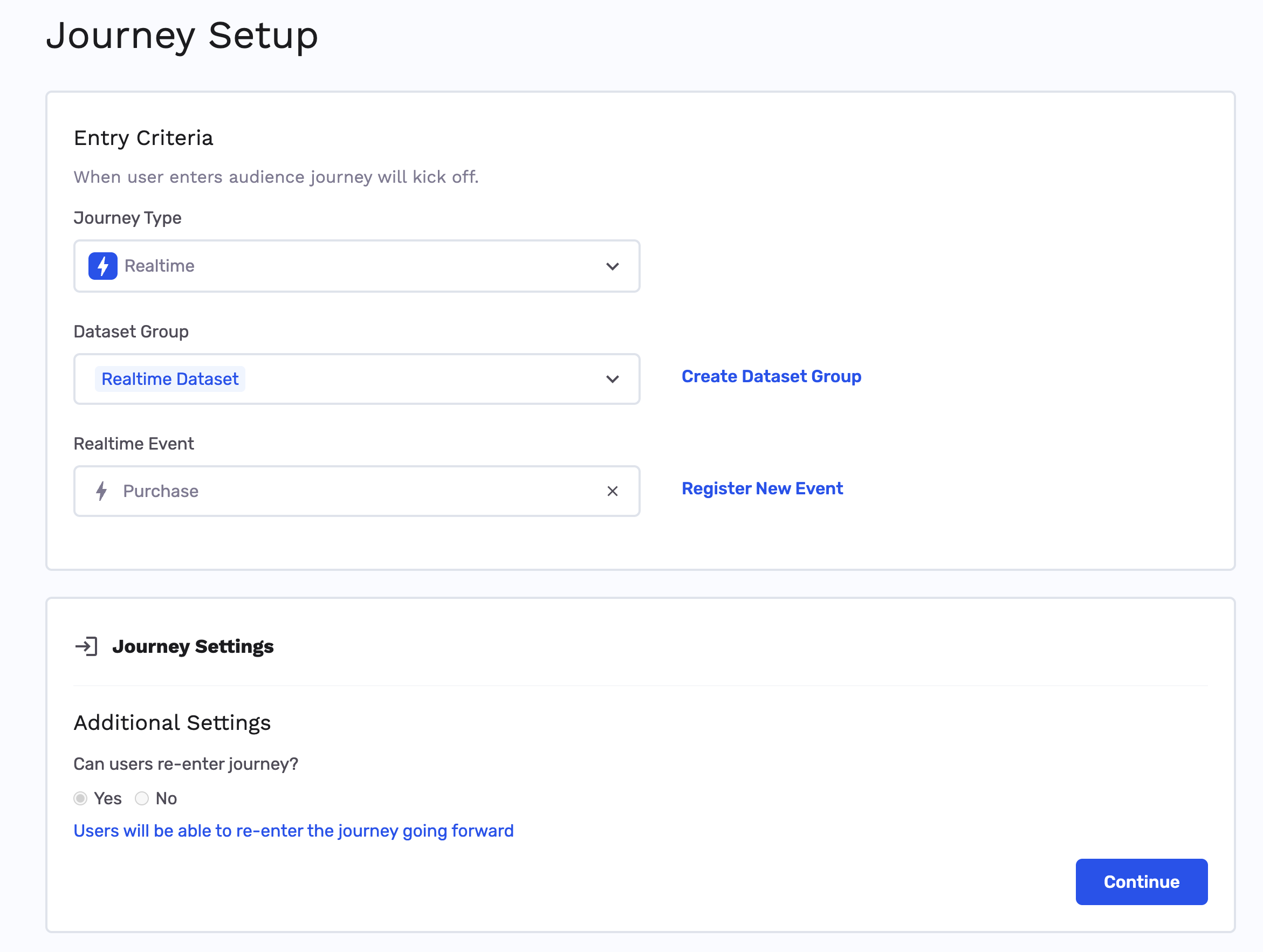
Create a real-time journey
- In the side menu, go to Journeys and click New Journey.
- In journey setup, choose Realtime Journey as the type.
- Select the Dataset Group that has your registered real-time event mapped to the primary key.
- From Select Realtime Event, choose the event that triggers this journey.
- Configure remaining journey settings and click Continue.
The canvas shows a real-time entry node with a lightning bolt — indicating this step processes instantly when events arrive. In general, if the node shows a lightning bolt icon, it will be processed in real-time. If the node needs to be processed in batch, the lightning bolt icon won't be present. All nodes downstream of a batch node will also be processed in batch.
Next steps
Add nodes to your graph:
- Criteria node — Branch on event or profile fields
- Destination node — Send email or export to a platform
- Trigger node — Call an external HTTP endpoint
Updated 4 months ago
Did this page help you?