
Schema Evolution Change Detection and Alerting
Monitor schema changes and resolve issues before they impact exports.
Schema evolution monitoring helps you catch breaking schema changes early, before they cause downstream export failures. When GrowthLoop detects a schema mutation in your warehouse, you get clear in-app alerts and can quickly validate whether your warehouse fix resolved the issue.
How it works
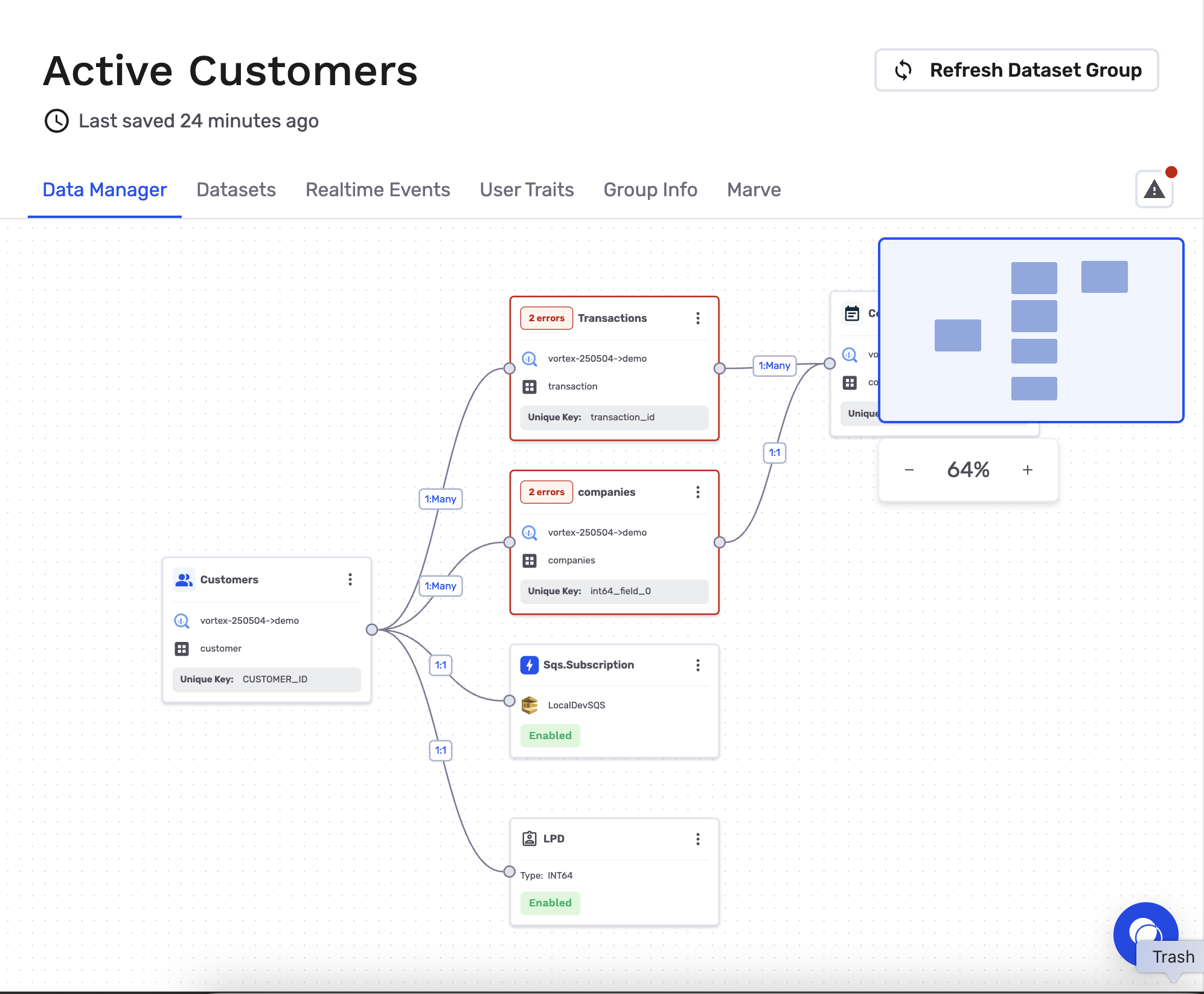
GrowthLoop continuously checks your source schema and compares it against the schema expected by your Dataset Group. If a table or column changes in a way that can break audiences, models, or dependent workflows, GrowthLoop flags the affected nodes in the Data Manager canvas.
What alerts you receive
When schema mutations are detected:
- You see visual alerts directly on impacted nodes in the Data Manager canvas.
- You can open detailed error descriptions from each impacted node.
- You can review whether the issue is related to a dropped/renamed table, dropped/renamed column, or a data type change.
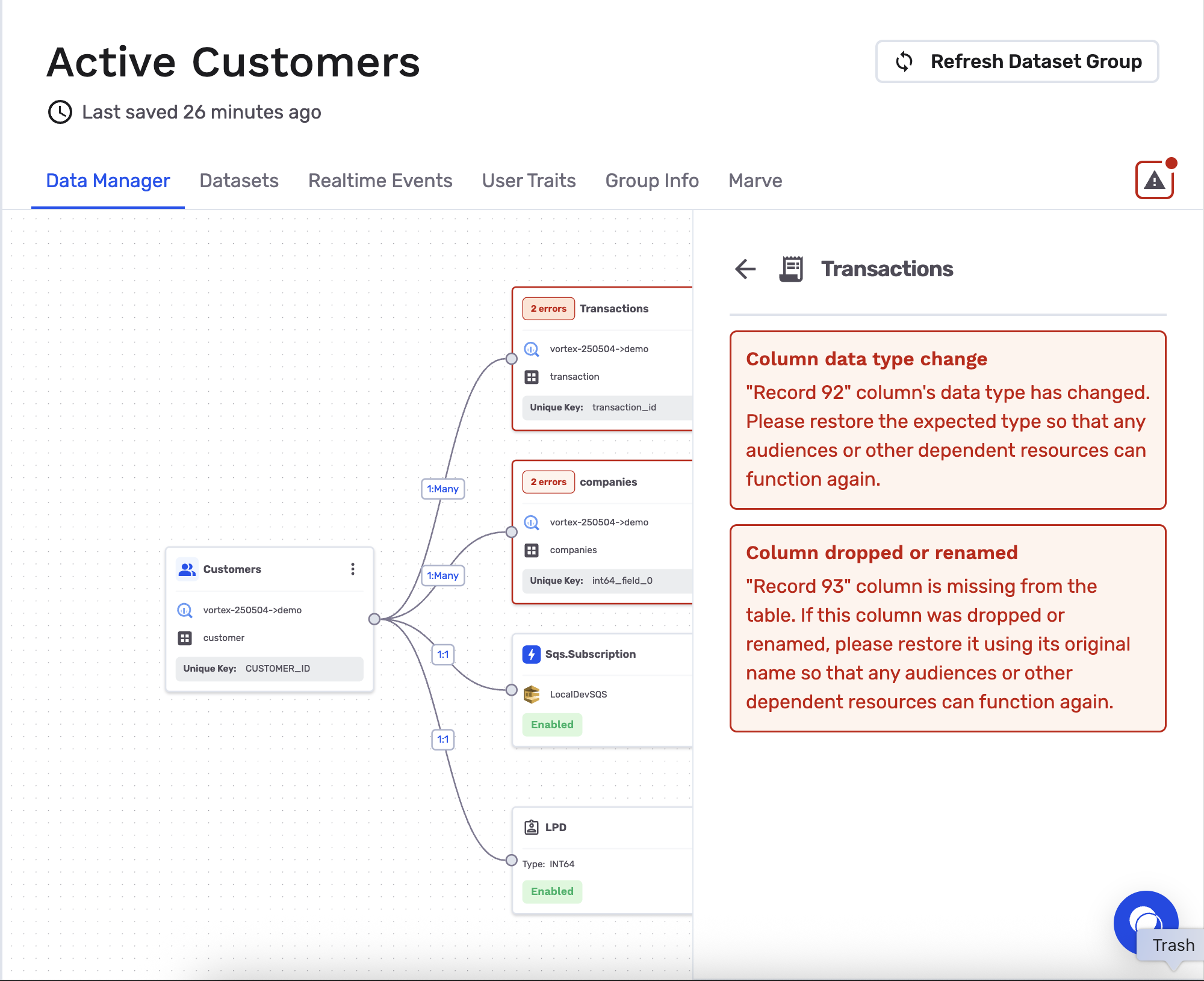
NoteIn-app alerts surface immediately in the canvas.
Resolve schema mutations
Use this workflow after you fix the underlying issue in your warehouse.
Step-by-step guide
- Fix the schema issue in your data warehouse (outside of GrowthLoop), such as restoring a missing column or correcting a data type.
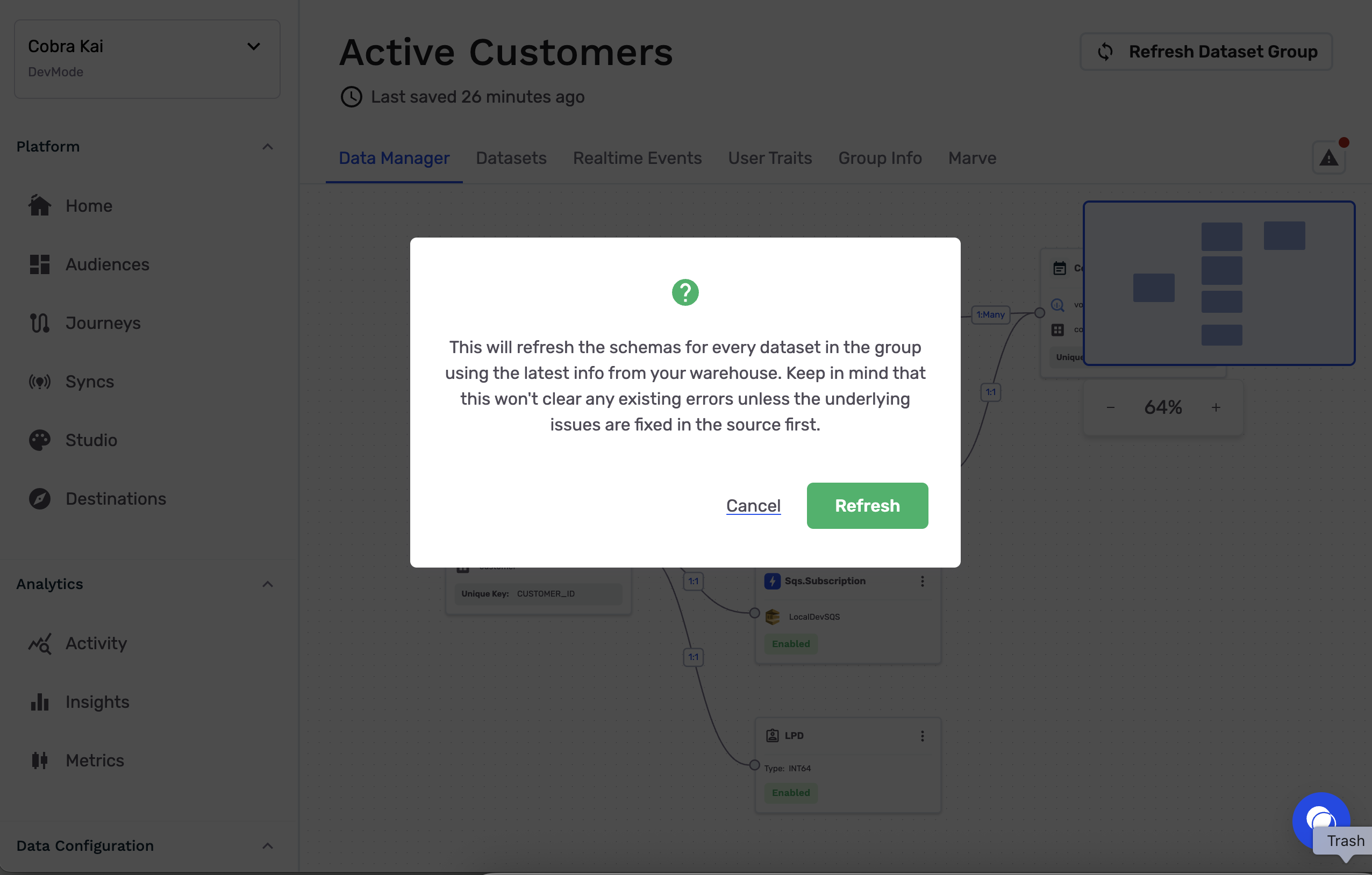
- In Data Manager, click Refresh dataset group to re-check schema health against the latest warehouse state.
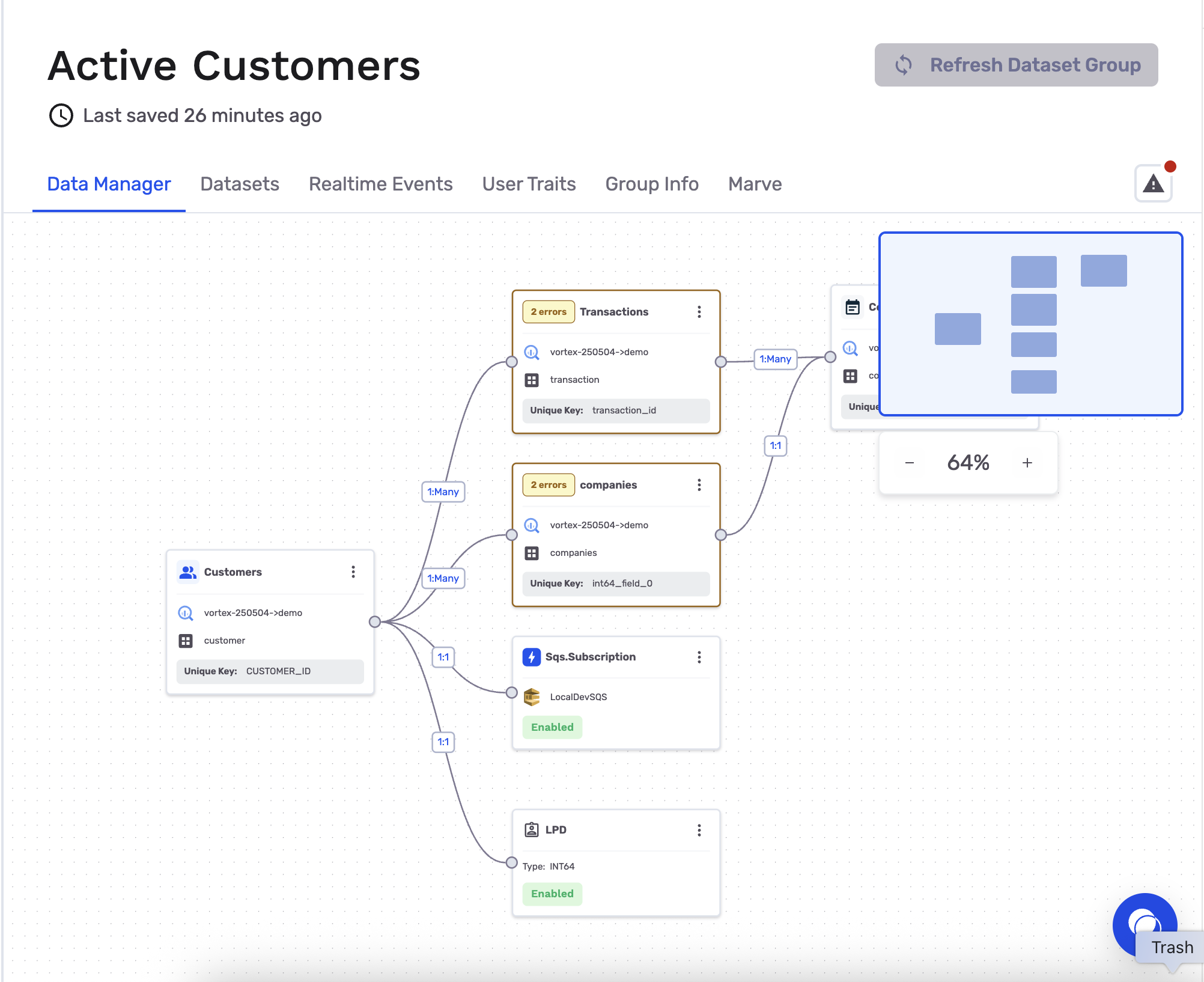
- While refresh runs, affected nodes switch to a temporary resolving status so you can track progress.
- If the warehouse fixes are valid, alert states clear and a success notification confirms the refresh completed.
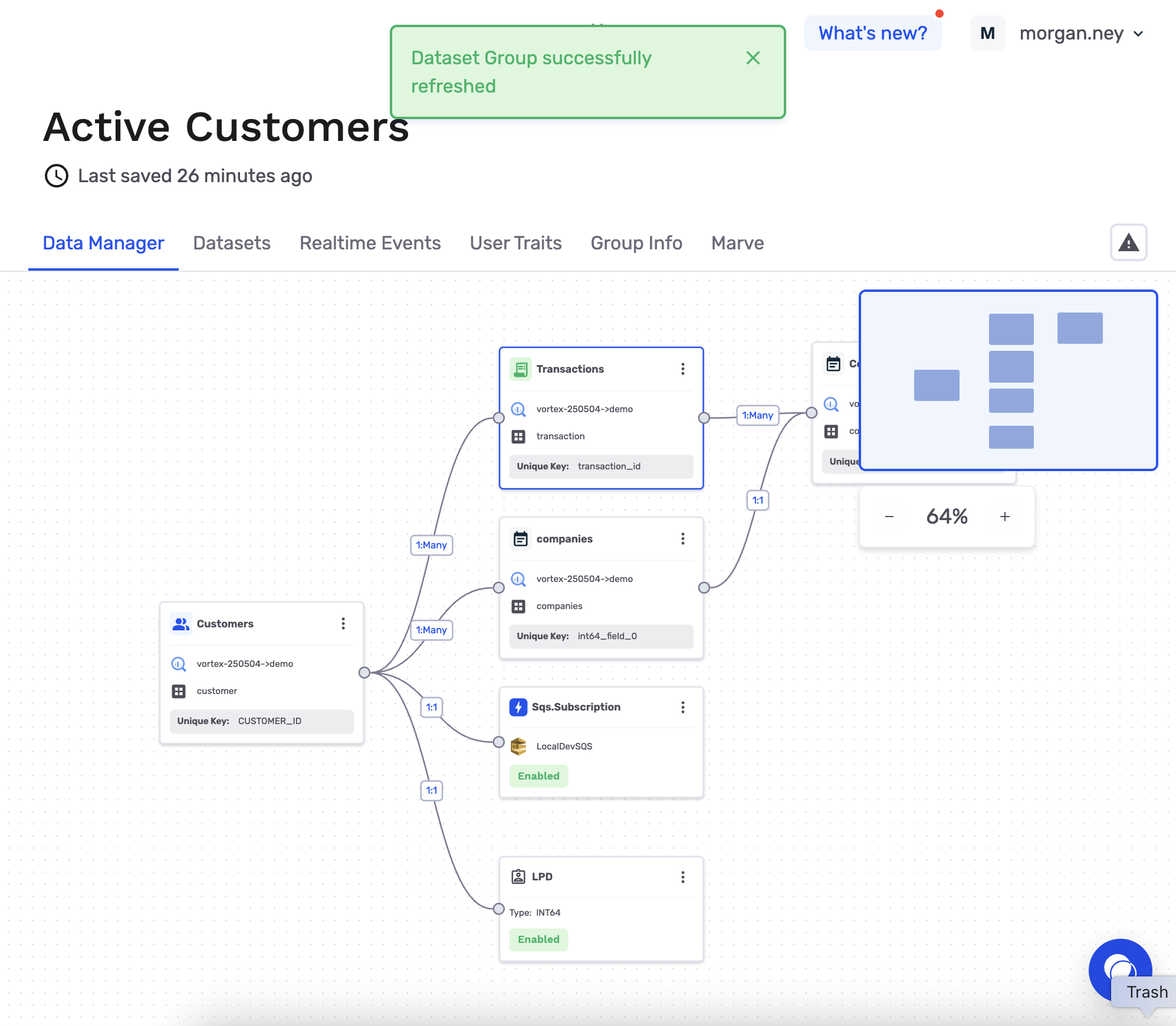
SuccessYour
Dataset Groupis now back in a healthy state and ready for continued audience and activation workflows.
Ready to continue? Next, learn how to organize and activate your data in Setup Dataset Groups.
Updated 5 months ago