
Measure channel performance
Review delivery, engagement, and unsubscribe metrics for GrowthLoop Email and GrowthLoop SMS sends.
Use GrowthLoop channel reporting to monitor how your GrowthLoop Email and GrowthLoop SMS sends perform after journeys run. Reporting helps you review delivery health, engagement, unsubscribes, and performance trends without leaving GrowthLoop.
GrowthLoop also writes channel data to your customer warehouse, so your data team can build custom dashboards, combine channel performance with business outcomes, and run deeper analysis in the tools you already use.
Prerequisites
- Channels are enabled for your organization
- Your team has a saved GrowthLoop Email or GrowthLoop SMS channel configuration
- A journey has sent email or SMS through a GrowthLoop Email or GrowthLoop SMS Destination node
See Configure email and SMS channels if you still need to set up sending.
Review channel reporting
- Open the reporting view for GrowthLoop Channels.
- Select the channel you want to review: Email or SMS.
- Select the date range for the sends you want to analyze.
- Review the metric chart to understand performance over time.
- Review the metric table to compare sends, campaigns, or other available breakdowns.
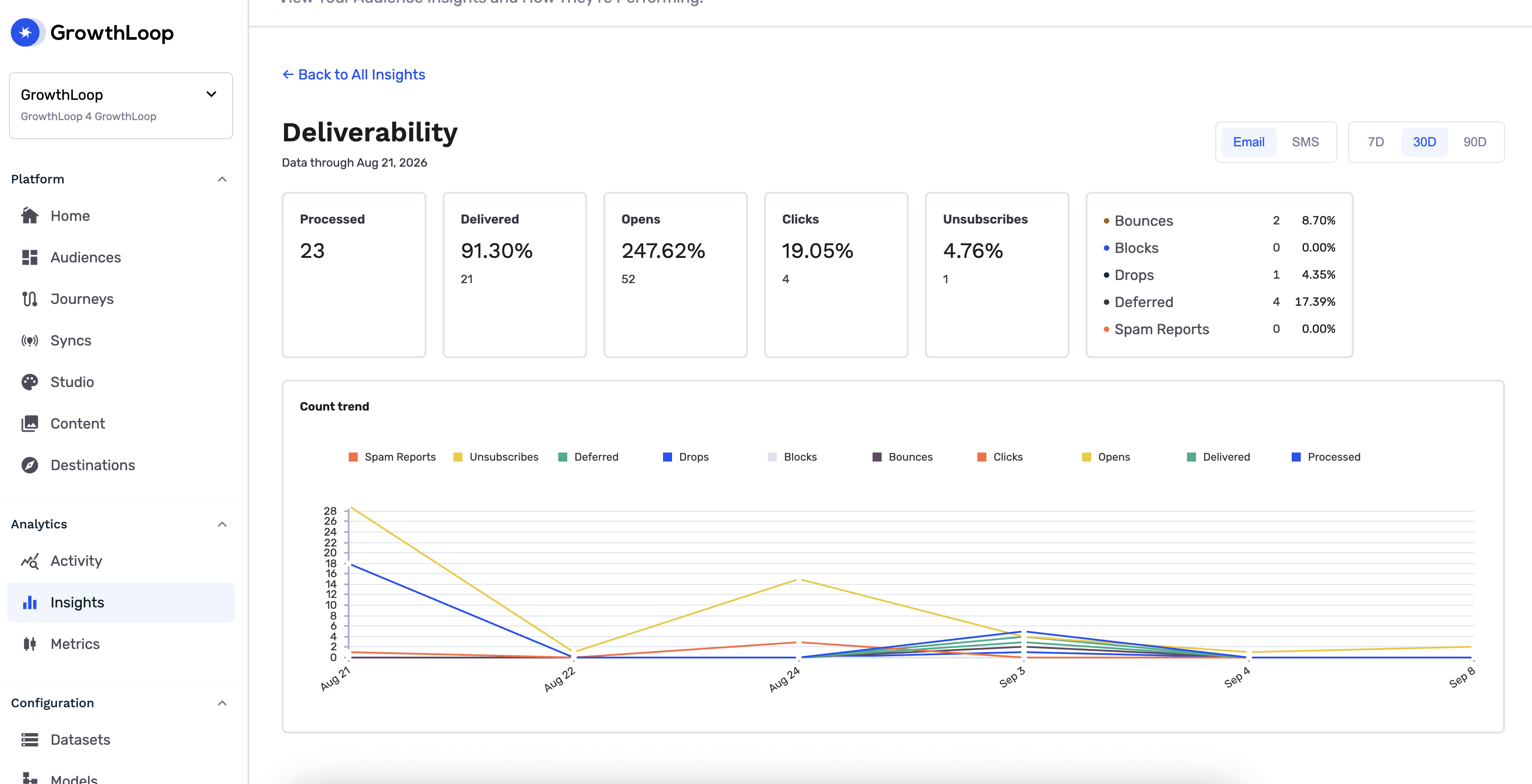
[Screenshot: Channel reporting view with chart, metric table, and freshness details]
NoteMetrics may take time to process after a send. Reporting updates as GrowthLoop receives and aggregates engagement events.
Email metrics
Email reporting includes delivery, open, click, and unsubscribe metrics.
| Metric | Definition |
|---|---|
| Sent | Messages accepted for sending |
| Delivered | Messages delivered to recipients |
| Opens | Total open events |
| Unique opens | Unique recipients who opened |
| Clicks | Total click events |
| Unique clicks | Unique recipients who clicked |
| Unsubscribes | Unsubscribe events |
| Delivery rate | Delivered divided by sent |
| Open rate | Unique opens divided by delivered |
| Click rate | Unique clicks divided by delivered |
| Click-to-open rate | Unique clicks divided by unique opens |
| Unsubscribe rate | Unsubscribes divided by delivered |
SMS metrics
SMS reporting includes delivery, click, and unsubscribe metrics.
| Metric | Definition |
|---|---|
| Sent | Messages accepted for sending |
| Delivered | Messages delivered to recipients |
| Clicks | Total click events |
| Unique clicks | Unique recipients who clicked |
| Unsubscribes | Unsubscribe events |
| Delivery rate | Delivered divided by sent |
| Click rate | Unique clicks divided by delivered |
| Unsubscribe rate | Unsubscribes divided by delivered |
Use warehouse data for deeper insights
Use the channel data written to your warehouse when you need analysis beyond the in-app reporting view. For example, you can:
- Join channel engagement to purchases, bookings, subscriptions, or other outcome data
- Build BI dashboards that combine GrowthLoop Email and SMS with other marketing channels
- Compare journey performance by audience, lifecycle stage, offer, or content variant
- Feed performance signals into measurement workflows that inform future journeys
How channel reporting supports the closed loop
Channel reporting is part of the Engagement Suite feedback loop. GrowthLoop captures delivery and engagement signals from GrowthLoop Email and GrowthLoop SMS, writes that data to your warehouse, and uses available performance context to improve future AI variant generation and journey Decisioning through the Causal Context Graph.
For creative testing workflows, see Assign variants for AI decisioning.
You're all set to measure GrowthLoop Email and SMS performance.
Next, learn how composable destinations trigger campaigns in external platforms.
Updated about 1 month ago