
SendGrid
Trigger SendGrid campaigns directly from GrowthLoop
If you use SendGrid to manage your marketing campaigns and assets, you can now trigger those campaigns directly from GrowthLoop, without switching apps.
Here's how to access that:
-
Head over to GrowthLoop and create a journey
-
In your journey drag in a Destination node and choose your SendGrid destination
-
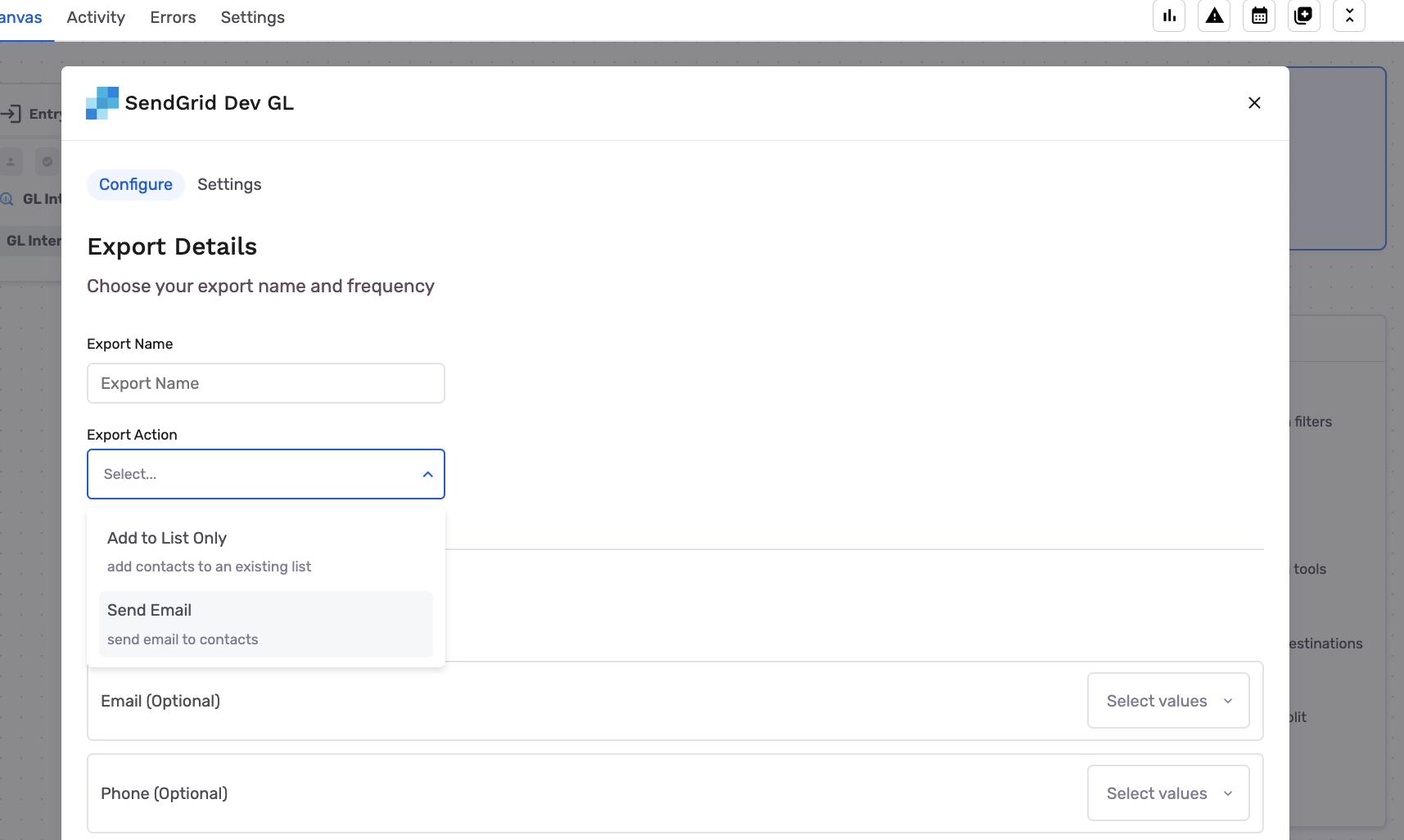
When setting up the destination node, you now have the option to Send Email on top of Add to List Only
-
By choosing that option, you're able to best configure what campaign to trigger from GrowthLoop
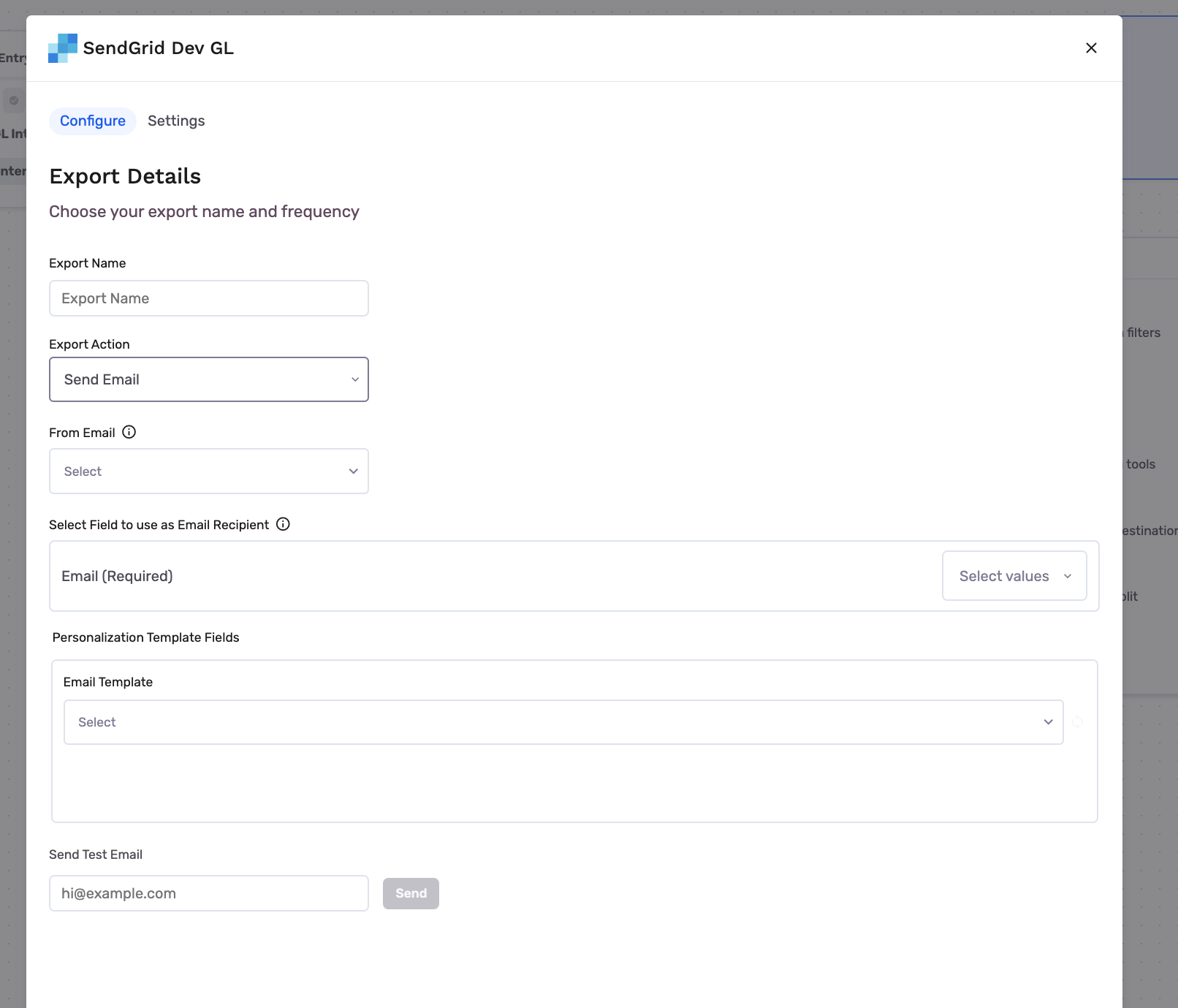
- From Email -- choose which pre-approved email to send from
- Recipient's Email -- choose which warehouse field identifies the recipients email address
- Email Template -- choose which template to use and map the correct warehouse fields to the required email template variables.
- Send Test Email -- send a test email to make sure everything works as you expect, before applying all the above changes.
This is what a configured campaign could look like
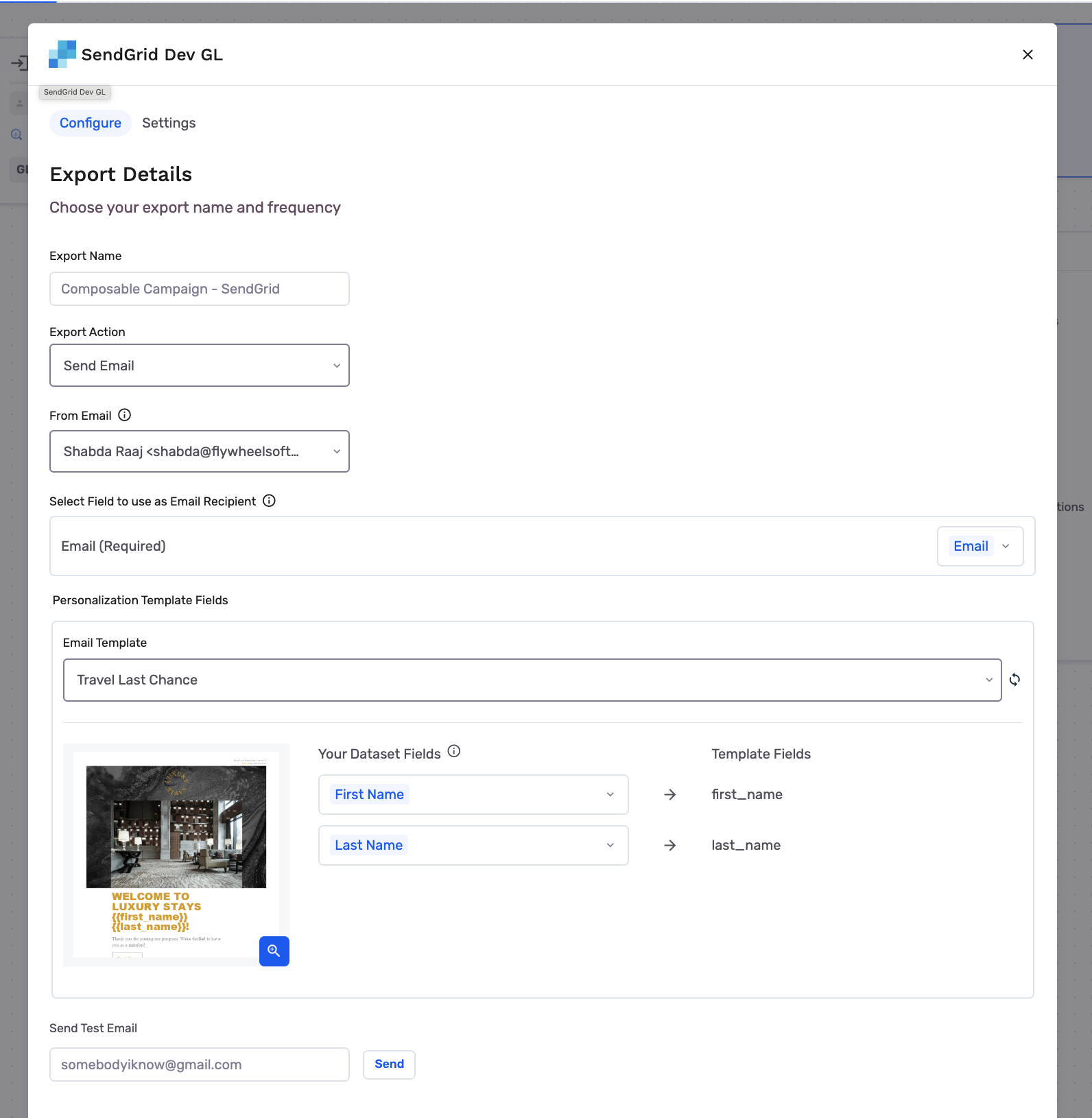
Now every time the journey runs, users who reach that destination node, will have the selected campaign trigger for them.
Updated 5 months ago
Did this page help you?